The daily report your customer reads
DayReport turns your techs' entries into a branded report for each job and day, with every room worked, photos with captions, materials used and a summary in your trade's terms, ready to send before you leave the lot.
7 day free trialNo card to startAdmins and office staff free
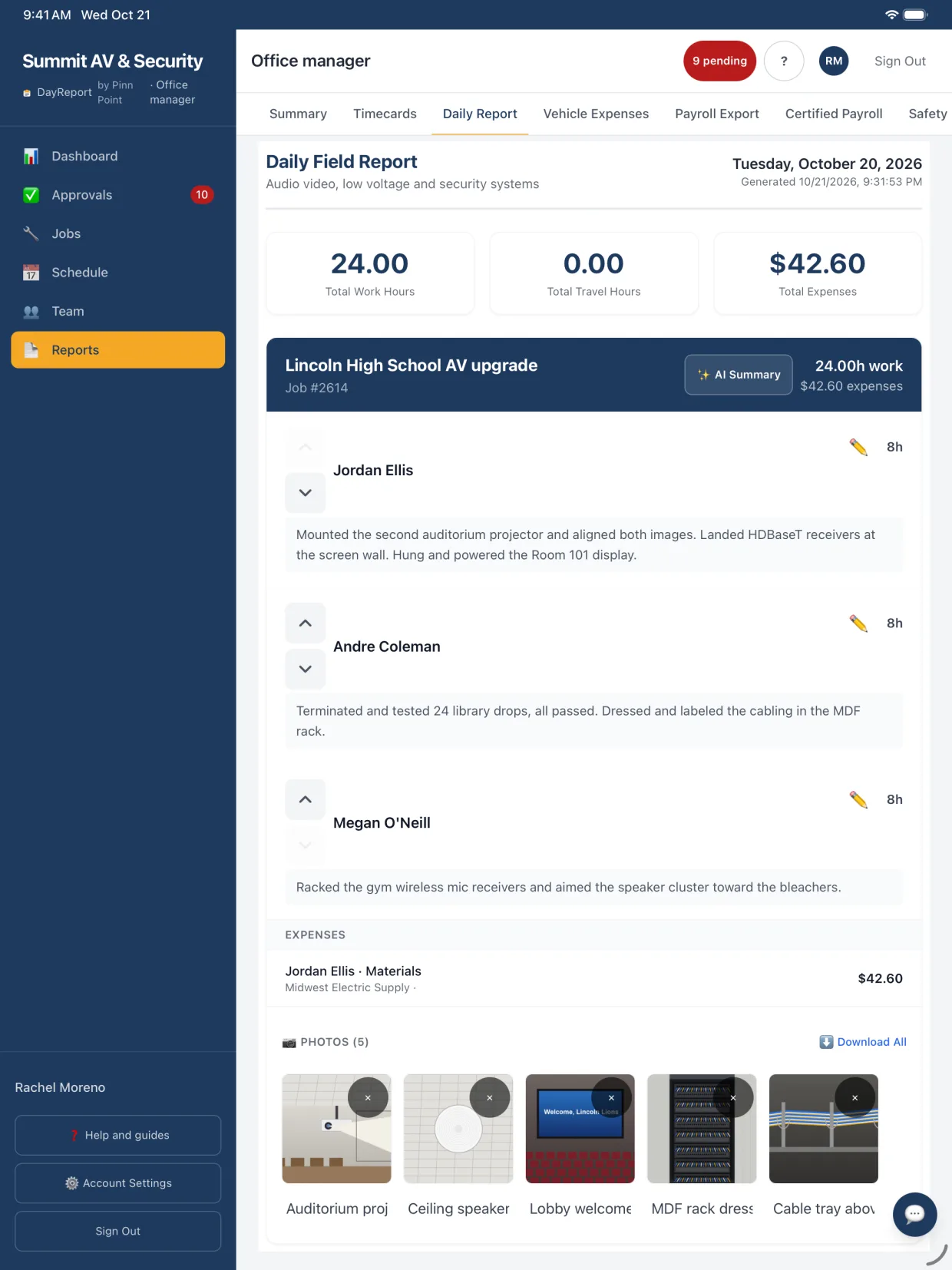
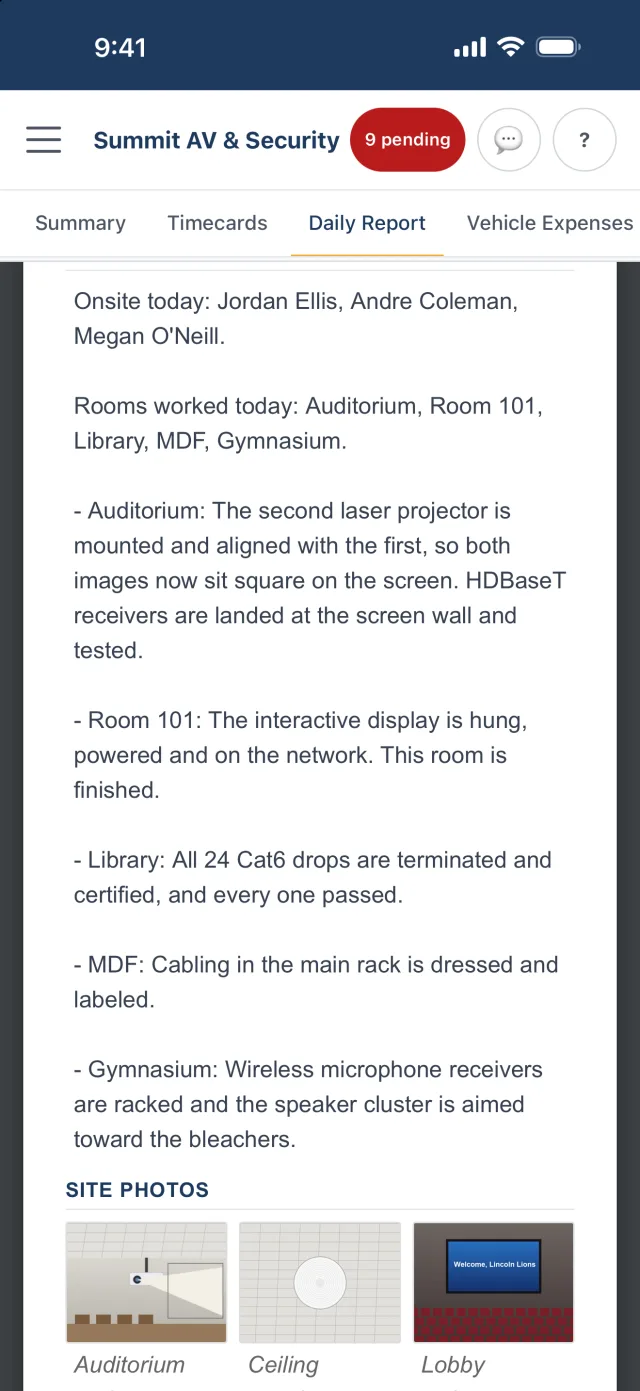
Screens show example data.
- Built by a working integrator
- 7 day free trial, no card
- Admins and office staff free
- Data stored in the United States
A summary that names every room
The summary opens with the rooms worked today, then one line per room with everything finished there. It uses the room numbers and equipment names from the entries and the job's documents.
- Two versions: a customer update for the GC or owner, and an internal status that keeps change-order risks and owner decisions in the office copy.
- Admins can edit any summary before it goes out. Edited summaries teach it your company's style.
- Switch Include AI Summary off to send only the entries.
Rooms worked today: Room 214, Room 215, IDF 2.
- Room 214: Pulled, dressed and labeled 12 Cat6A drops to the teaching wall and projector location. Cable pull is finished in this room.
- Room 215: Pulled 8 of 12 drops. The grid stays open for the last 4 tomorrow.
- IDF 2: Terminated and tested 20 drops on patch panel B. All 20 passed.
| Cat6A plenum cable | 1,850 ft |
| Cat6A jacks | 40 |
| J-hooks, 2 in | 60 |
Photos, materials and write-ups included
Each report covers one job and one day: who was on site, what each person did, photos with captions and materials used.
- Show hours adds each person's hours and is remembered for each job.
- Tap Preview to edit descriptions, captions and the summary in place, then Download PDF.
- Tap Customer report to share the PDF and the day's photos from your phone. Photos can go as a zip sized for email.
AV, low voltage and security each get their own guide
Pick your trades on the Company page and the summary uses them: rooms commissioned for AV, drops pulled and terminated for low voltage, doors online and cameras recording for security.
- It knows the stages each trade moves through, from rough-in to commissioning.
- It calls out what usually holds your kind of job up, like missing backing, ceilings closing or frames not prepped.
- Scopes, drawings and schedules on the job help it get the names right.
Rooms worked today: Boardroom, Room 110, Rack room.
- Boardroom: Mounted and terminated both 86 in displays and the ceiling microphone. Speakers are in; the codec goes in Thursday.
- Room 110: Programmed the room control and DSP presets. Commissioned and handed to the owner's IT contact.
- Rack room: Built out rack 2, dressed and labeled all AV cable. The display in the lobby is waiting on backing in the wall.
| HDBaseT extender kit | 2 |
| Ceiling speaker | 6 |
| Display wall mount | 2 |
Reports that keep working after you send them
Private progress links
Share room progress, daily reports and photos with a link that shows only what you pick.
Report history at closeout
The daily report history goes into the closeout package PDF with the checklist and punch list.
Procore daily log (rolling out)
Push a day's crew count, hours and daily report into the project's daily log in Procore.
Certified payroll
For prevailing wage jobs, a weekly certified payroll PDF or CSV with the WH-347 information. Add deductions and net pay from your payroll provider, then sign it.
Safety report
Days since the last injury, hours worked, and TRIR and DART rates, from the time your crew logged.
Exports you can preview
Time and expense spreadsheets, weekly hours by person and a QuickBooks import file, each with a preview before you download.
Questions people ask first
What is a daily job report?
A daily job report, or daily field report, is a record of one day on a jobsite: who worked, what was done, materials used, photos and any issues. Contractors send it to the customer or GC and keep it for billing and disputes.
Can the AI summary be wrong?
It works only from what your techs wrote and the documents on the job, and it is told not to invent rooms or equipment. Every summary can be edited or regenerated before you send it, and the internal version flags anything that needs an office decision.
Can I brand the report with my logo?
Yes. The PDF uses your company name and logo from the Company page.
Who can build the report?
Admins, office managers, project managers, accountants and foremen can build it for any job. A technician can build it for the jobs they worked that day.
Can hours stay off the customer copy?
Yes. Show hours is off unless you switch it on, and the choice is remembered for each job.
How much does DayReport cost?
$19 per technician or foreman per month. Admins, office managers, project managers and accountants are free unless you give one a field seat to log their own time. 7 day free trial, no card to start.
Keep exploring
Try it on your next job
Set up your company, invite a technician and log a real day. Setup takes about ten minutes, and the first 7 days cost nothing.
No card to startAbout ten minutes to set upCancel any time